

The numbers sit in Business Central. Getting them out is the hard part.
Lens is the financial reporting and analytics layer for Microsoft Dynamics 365 Business Central: statements, margins, cash and trends, live from the ledger.

For Business Central
Read the transcript
Lens, for Business Central. Lens turns your ledger into answers. Live from Business Central, nothing rebuilt. How are my gross margins against the same month last year? Which unit is best, and which is worst? The numbers sit in Business Central. But getting them out is the hard part.
Nothing exported, nothing rebuilt. So we built Lens on top of that ledger. Income statement. Revenue. Cost. Balance sheet. Trends. Everything you'd assemble at month end, we calculate continuously.
Every axis, every period. Every view can be sliced. By brand, by location, by outlet. This year against last. Or month against month. The filters are already there. No Analysis Views, no pivot tables.
Ask it like a person. When a number looks off, open Investigate and ask, in plain English. It shows every step of the calculation, and explains why it's right.
Bring your own AI. Want Claude or ChatGPT in the loop? We ship an MCP server, so they reach the same semantic model that powers Investigate.
Who sees what. You sign in with Microsoft. Admins set access. A brand manager or a branch head sees only what their job needs. And we never write back to Business Central.
Running in production today. 2 days to the monthly statements, down from two weeks at Five Thirty, Dubai. 8 brands, around 125 outlets, one finance team. Five Thirty in Dubai used to get its statements two weeks after month end. Now it's two days, and the time they got back goes into decisions.
Two weeks to two days, on the monthly statements. Book a 30-minute guided demo at zfenselabs.com. The guided demo runs on the Ember & Oud sandbox. Sign in with Microsoft, read-only, never writes to Business Central, unlimited users. That's Lens, by Zfense Labs. Give me half an hour, and I'll show you how it works in our sandbox.
Five Thirty's finance team, 8 brands and around 125 outlets on Business Central, has the month's statements in two days instead of two weeks. Read the Business Central case study
The questions a finance lead asks every month
Each one waits for somebody to build the answer.
“How are my gross margins against last month? Against the same month last year?”
Compare any period with any other, by brand, location or outlet, on one screen. Every tab follows the same filters.
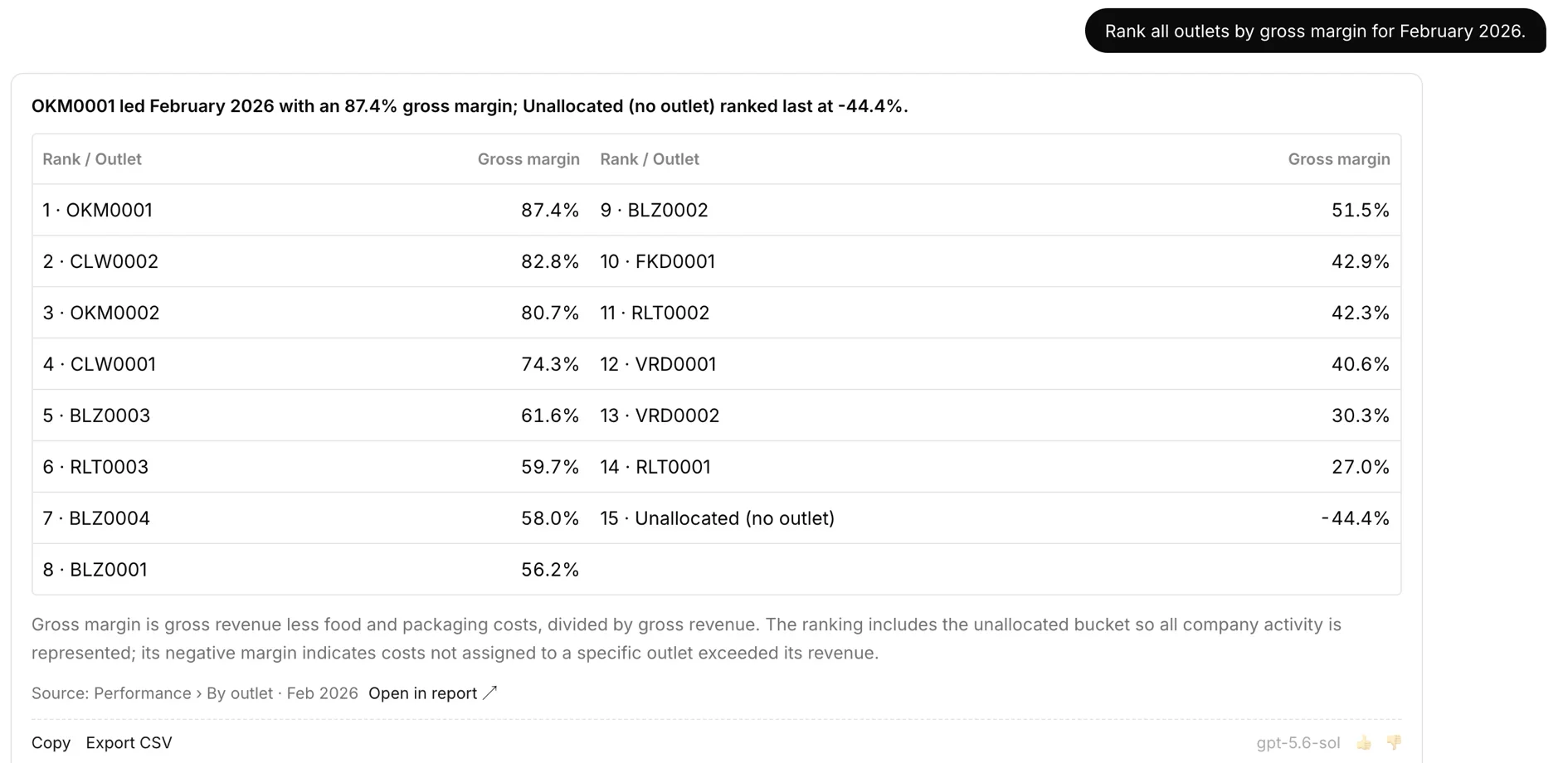
“Which unit is performing best? Which are the worst?”
Lens ranks every outlet on any measure, on the spot. Costs nobody has allocated to an outlet yet are still counted, so nothing quietly drops out.
“Why are payroll costs up? Which branch? Is it a one-off? What is the 12-month trend?”
Those four questions are one chain, and the Investigate tab follows it from cost line to branch to month.
“How are my cash flows? What is my cash conversion cycle?”
Cash flow and liquidity are read from the ledger as of the last sync.
Keep asking. Lens answers these too:
“How is YTD against last year, same period?”·“Which purchase items have gone up?”·“What did the price increase actually do?”·“How are the liquidity ratios?”
Connect once
Sign in with Microsoft and connect Business Central. Lens reads the ledger and never writes back.
Every statement on every desk
Everyone gets the statements, margins, cash flow and rankings their role allows.
Ask in plain English
Type the question as you would say it. Investigate answers from the ledger, and Claude or ChatGPT can be connected to the same figures under the same permissions.
“Can I get a P&L for one location?”
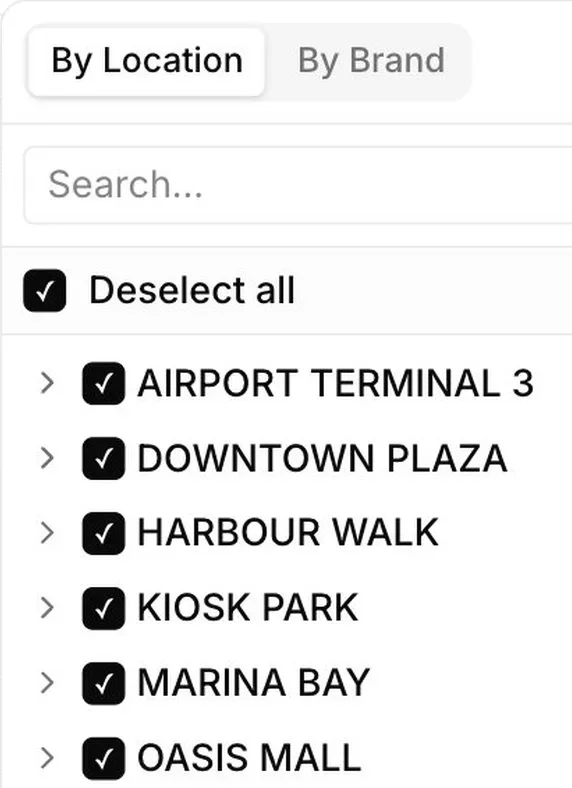
It is already there. Pick the company, location or outlet and every statement follows. Choose any period and compare it with the one before.
Access follows the same hierarchy. A regional manager sees their branches, a brand head sees their brand, and finance sees it all.
“Margin dropped two points. Where?”
Investigate follows the drop to the outlet driving it, down to the cost line, and shows the rows behind every figure.
When the data will not support a conclusion, it says so instead of guessing.
Claude and ChatGPT on the MCP server
“Can we point our own AI at it?”
Connect Claude or ChatGPT through the MCP server Lens runs, an open standard that gives an assistant a set of tools. It answers from statements that already tie out, under each person's own access.
A branch manager's assistant cannot see another branch. That is usually the question that decides whether finance allows AI near the ledger at all.
Three plans, unlimited users
Core
The live statements
- ·Up to 3 companies
- ·P&L, balance sheet and cash flow
- ·Brand, location and outlet views
- ·Any period, against the one before
- ·Investigate
- ·Daily sync, on-demand sync · Excel export
Pro
Permissions by role, and your own AI connected
- ·Everything in Core, up to 10 companies
- ·Role-based access by group, outlet and report
- ·Investigate Deep Dive, group to cost line
- ·MCP server for Claude or ChatGPT
- ·Channel reconciliation
- ·Year-over-year comparison
- ·On-demand sync, whenever you need it
Enterprise
Payroll, POS, e-commerce and inventory systems alongside the ledger
- ·Unlimited companies, everything in Pro
- ·The full stack in your own Azure subscription
- ·Audit logs · user provisioning · SLA
- ·Sandbox alongside production
Every plan carries unlimited users. Ask for the price sheet.
Xtract codes the invoices AP tools hand back
Xtract codes the vendor invoices AP tools hand back to a person and returns a workbook ready to import. Customers who use both go through setup and the security review once.
See Xtract →Secure and in your control
Sign in with Microsoft·Read-only, never writes to Business Central·Strict tenant-level data isolation, on Azure·Synced daily and on demand, unlimited users